cPanel can be accessed by using either of the URLs below: www.yourdomain.com/cpanel...
An addon domain is a domain that can be added to an existing hosting account and exist as its own...
Login to cPanel. Locate and click on the "Redirects" icon under the "Domains" category....
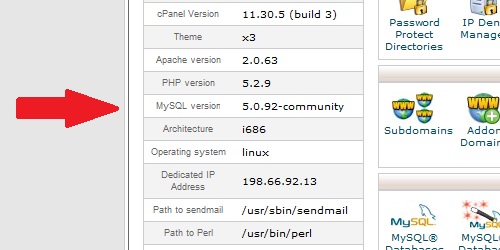
Within cPanel, there are numerous statistics listed on the left of the screen. Main Domain...
Login to cPanel. In the "Stats" section on the right, located the row labeled "PHP version"....
Powered by WHMCompleteSolution
Szerzői jog © 2026 Prometeus By Cdlan. Minden Jog Fenntartva.