Login to cPanel. Locate and click on the "Redirects" icon under the "Domains" category....
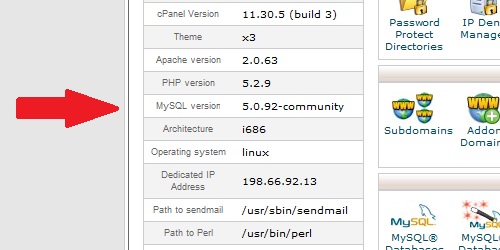
Within cPanel, there are numerous statistics listed on the left of the screen. Main Domain...
A domain redirect is an instance where a visitor is redirected to a different page when they try...
Login to cPanel. In the "Stats" section on the right, located the row labeled "PHP version"....
A subdomain is a subsection of a main domain, in this format: subdomain.maindomain.com...
Powered by WHMCompleteSolution
Copyright © 2026 Prometeus By Cdlan. All Rights Reserved.