Login to cPanel. Locate and click on the "Addon Domains" icon under the "Domains" category....
A domain redirect is an instance where a visitor is redirected to a different page when they try...
A parked domain is a domain that simply redirects users to a different domain. For instance, if...
Login to cPanel. Locate and click on the "Parked Domains" icon in the "Domains" category....
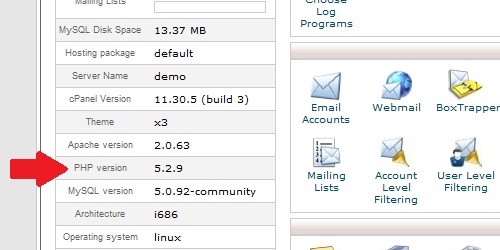
Within cPanel, there are numerous statistics listed on the left of the screen. Main Domain...
Powered by WHMCompleteSolution
Copyright © 2026 Prometeus By Cdlan. All Rights Reserved.